

Server Installer, Multi-Hop Manager & Black Fox AI
VPS to VPN
APKPureConnect to Ubuntu VPS hosts, deploy the 3X-UI (Sanaei) panel via 3-source Full Deploy, and manage single-server or multi-hop VPN infrastructure (6 Tunnels, 6 Exits, Nodes, 9-link Mesh, CDN & Telegram bots) manually or with Black Fox AI on Windows & Android.
Windows · Android · AI Pro
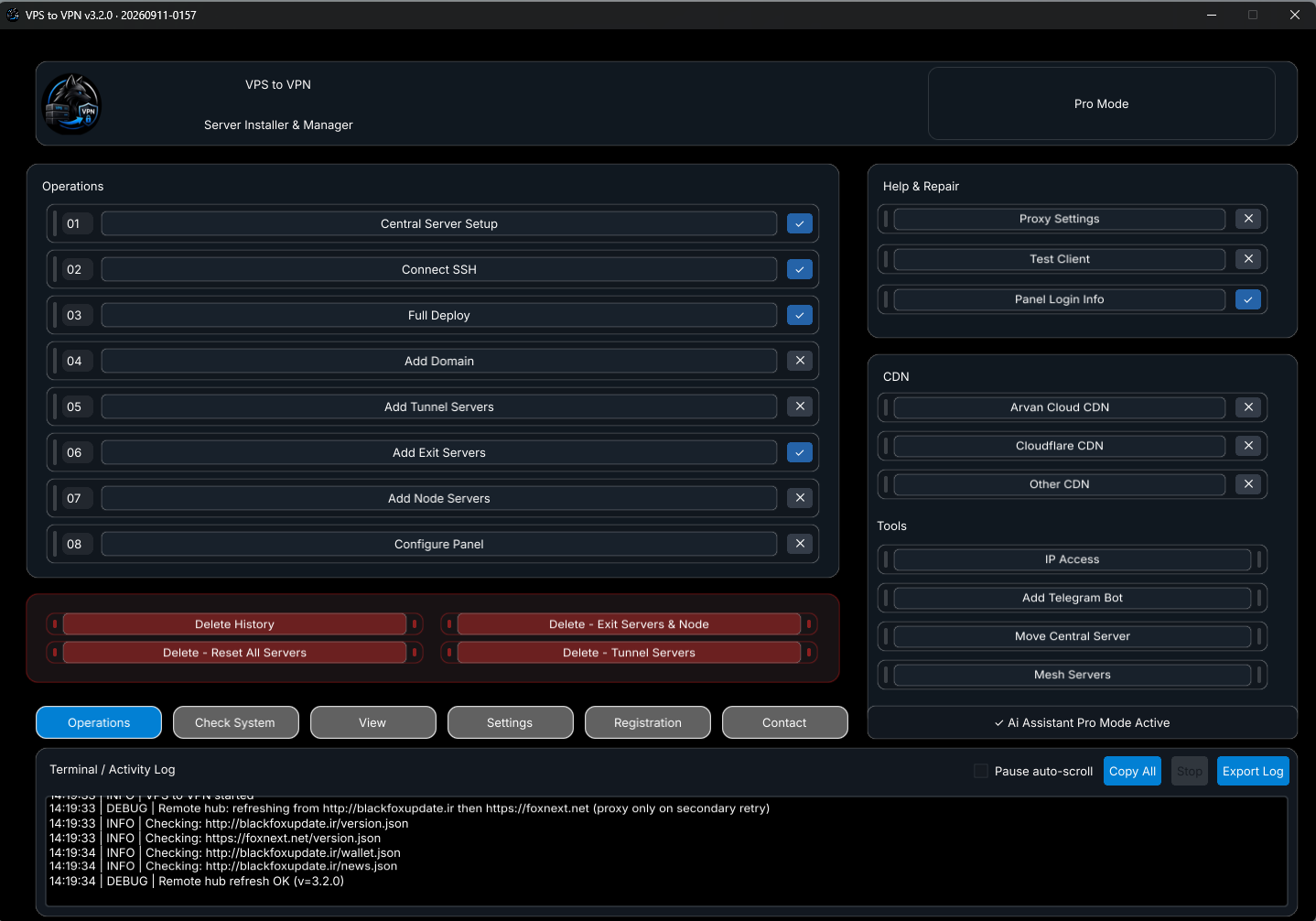
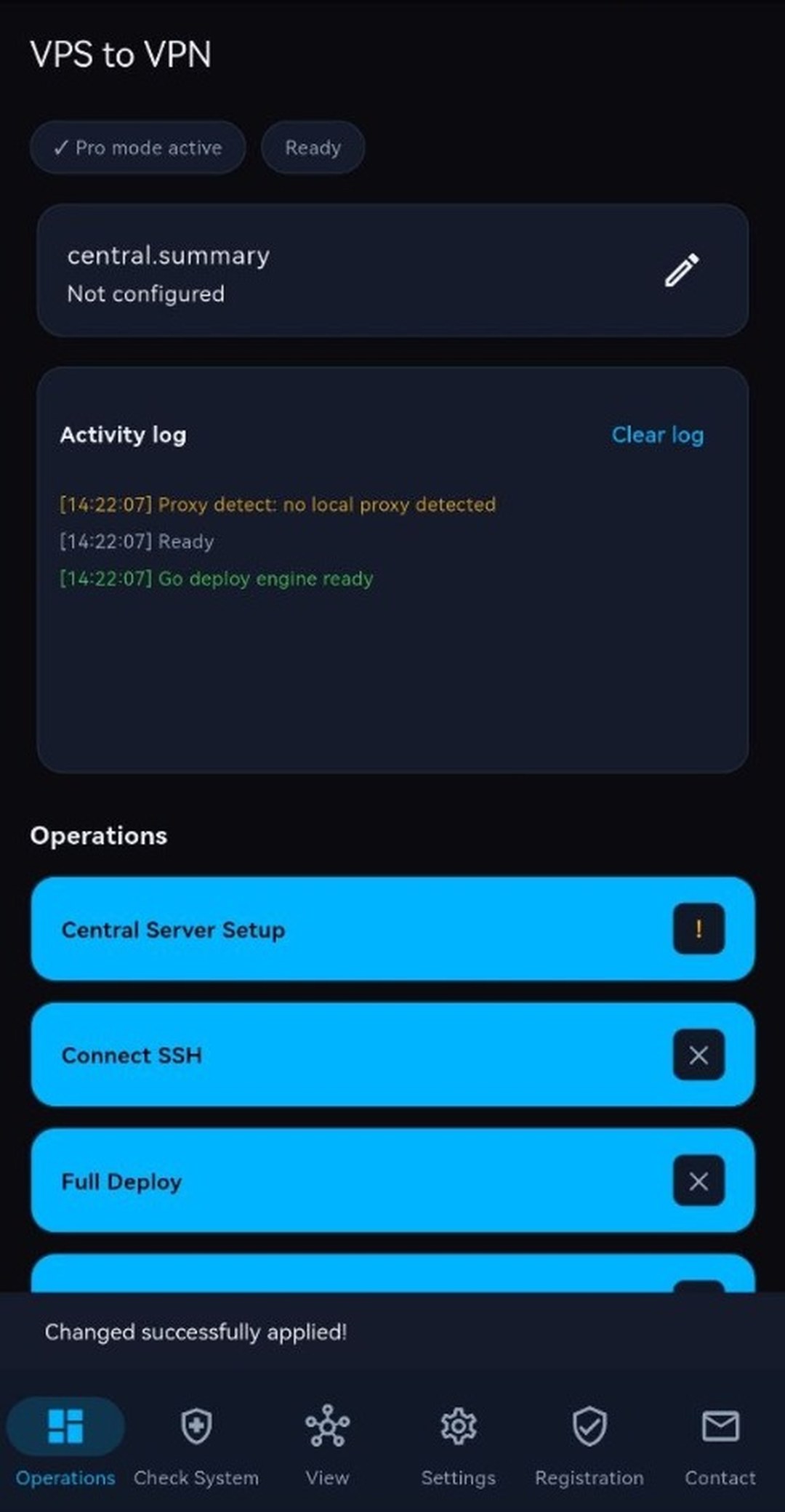
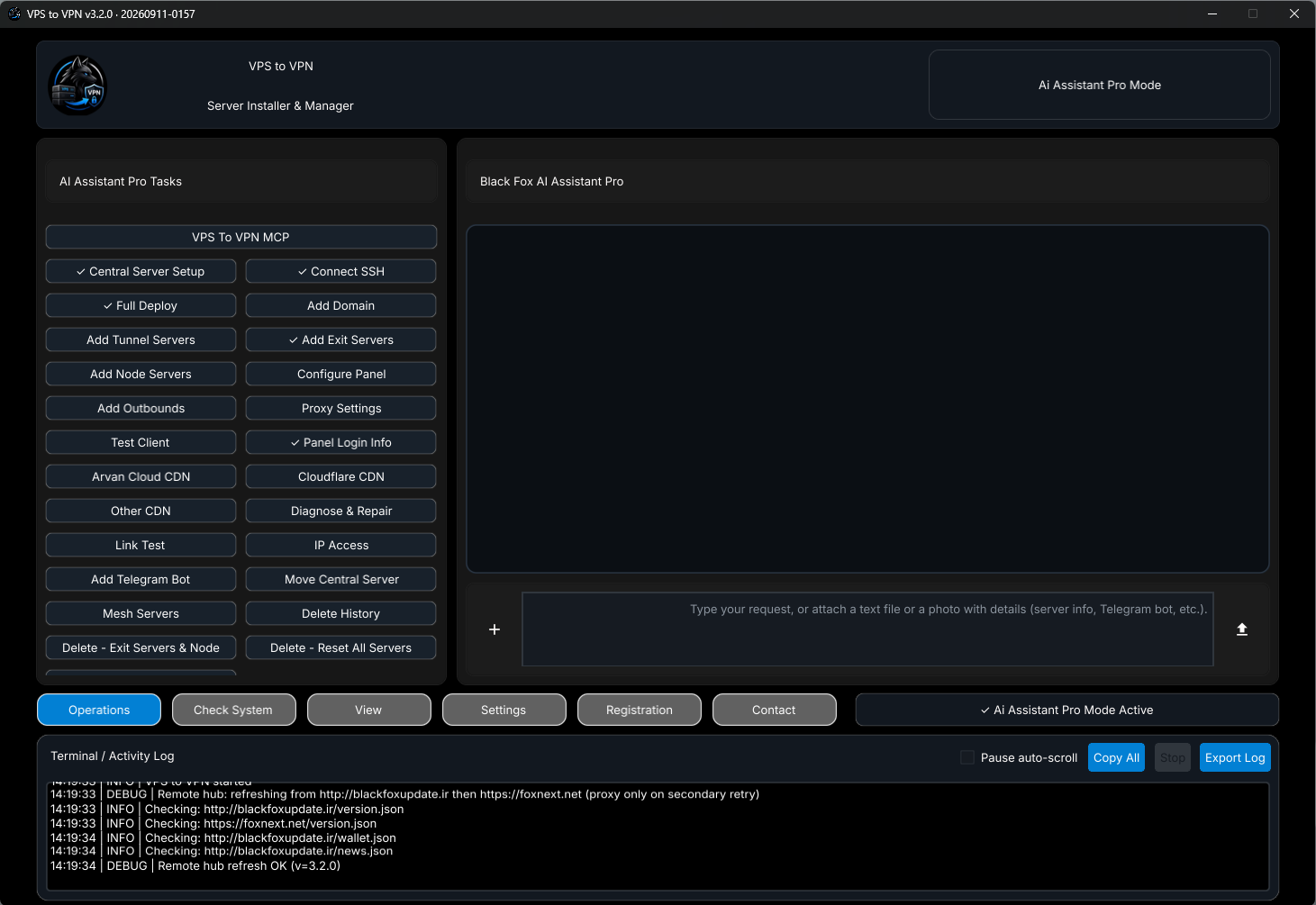
All three working modes (Basic, Pro, and AI Assistant Pro) share one synchronized interface across Windows and Android with live Activity Logs.
VPS to VPN
Complete Infrastructure Control Without Linux Guesswork
VPS to VPN turns complex Ubuntu provisioning, WireGuard/Xray tunneling, 3X-UI panel configuration, DNS/CDN routing, and bot deployment into named, reviewable actions. Server inventory stays shared across Basic, Pro, and AI Assistant Pro modes, backed by read-only Check System diagnostics and full Activity Log transparency.
Choose Your Working Mode
VPS to VPN
Key Platform Capabilities (Windows & Android)
- Guided 3X-UI Deployment & Panel Setup: Run
Full Deployvia Sanaei GitHub, VPS To VPN Hub, or Local PC package; configure VLESS, Trojan, VMess, Shadowsocks & WireGuard inbounds viaConfigure Paneland verify withTest Client. - Multi-Hop Scaling & 9-Link Mesh Networking: Chain up to 6
Tunnelhops, 6 fixed-IPExits, and remoteNodes; choose from 9 Mesh link types with redundantBackup Paths,Optimize VPS, and persistentsystemd mesh-healthfailover. - Domains, CDN, IP Access & Telegram Bots: Claim free subdomains (
.ir / .site / .online / .store), automate Cloudflare/ArvanCloud DNS & CDN records, test domestic vs. external IP reachability, and deploy Mirza or Smart Support Bot. - Migration, Diagnostics & Black Fox AI: Migrate hosts cleanly with
Move Central Server, backup/restore inPanel manager, runCheck Systemaudits, or let Black Fox AI handle workflows safely withAdd Outbounds&VPS To VPN MCP.
VPS to VPN
Quick Start Workflow
- Install the Windows desktop app or Android (
arm64) APK and activate your license key inRegistration. - Save your Central VPS credentials in step
01, establish SSH in02, and deploy 3X-UI cleanly in03 Full Deploy. - Add Exits, Tunnels, Nodes, Domain/CDN, and Mesh links—or switch to
AI Assistant ProinViewto run operations viaTasks& Black Fox AI chat.
Designed for Clarity, Control & Safety
Separating Basic, Pro, and AI Assistant Pro keeps personal setups effortless while giving commercial operators full multi-hop, Mesh failover, and AI automation—without losing a single server when switching modes in View or exposing secrets over MCP.
System Requirements
- Windows PC or Android (
arm64) mobile device. - One or more Ubuntu VPS hosts reachable via SSH and an active
Basic,Pro, orAI Assistant Prolicense (see the Activation page for plan options).
Release file checksums
Compare the SHA-256 value after downloading to confirm that the file matches the official release. Hashes are refreshed automatically when the product page or manifest is opened after a manual upload.
| Package | File | Size | SHA-256 | Download |
|---|---|---|---|---|
| Windows installer | VPS to VPN-Setup.exe | 114.481 MB | 402ba615484e1b090b28dd1135a41e267305cc07f85f1a3f8594f0eb905d7a91 | Download |
| Windows installer ZIP | VPS to VPN-Setup.zip | 47.582 MB | e595283f82c76a0f2deff72db9dd1e65e9c6db8460a0e581b368b4324b3ba689 | Download |
| Windows portable | VPS to VPN-Portable.zip | 27.693 MB | e0bfa4d8dc740585e1f3ee23873e170c64686346da51c03ffd10f3f3ebacf8de | Download |
| Android | VPS to VPN-Android.apk | 39.076 MB | b5aff7e83e31924729a4a50ea780a28e5dfac91e2bb9cc3f39ae719cb4d9d0e9 | Download |
Guides & Tutorials
Guides and Documentation for 3X-UI Sanaei
Step-by-step tutorials, troubleshooting references, and deployment best practices for VPS to VPN.
Download Android version on APKPure
In addition to direct download, the official Android release of VPS to VPN is also published on APKPure, so you can download the app from this site as well.
Public source and notes
The public repository provides product documentation, roadmap, and whitepaper; it does not include the Windows/Android application source. Features on this page follow those documents and the live website.