
Install & Manage Telegram Bots from Windows
Telegram Bot Expert Installer
Skip manual Linux terminal commands: connect over SSH from a clean local Windows browser dashboard, deploy Telegram bots in Webhook or Polling mode, inspect live logs and health checks, and manage backups or safe uninstalls.

Two Deployment Paths & Full Control from Windows
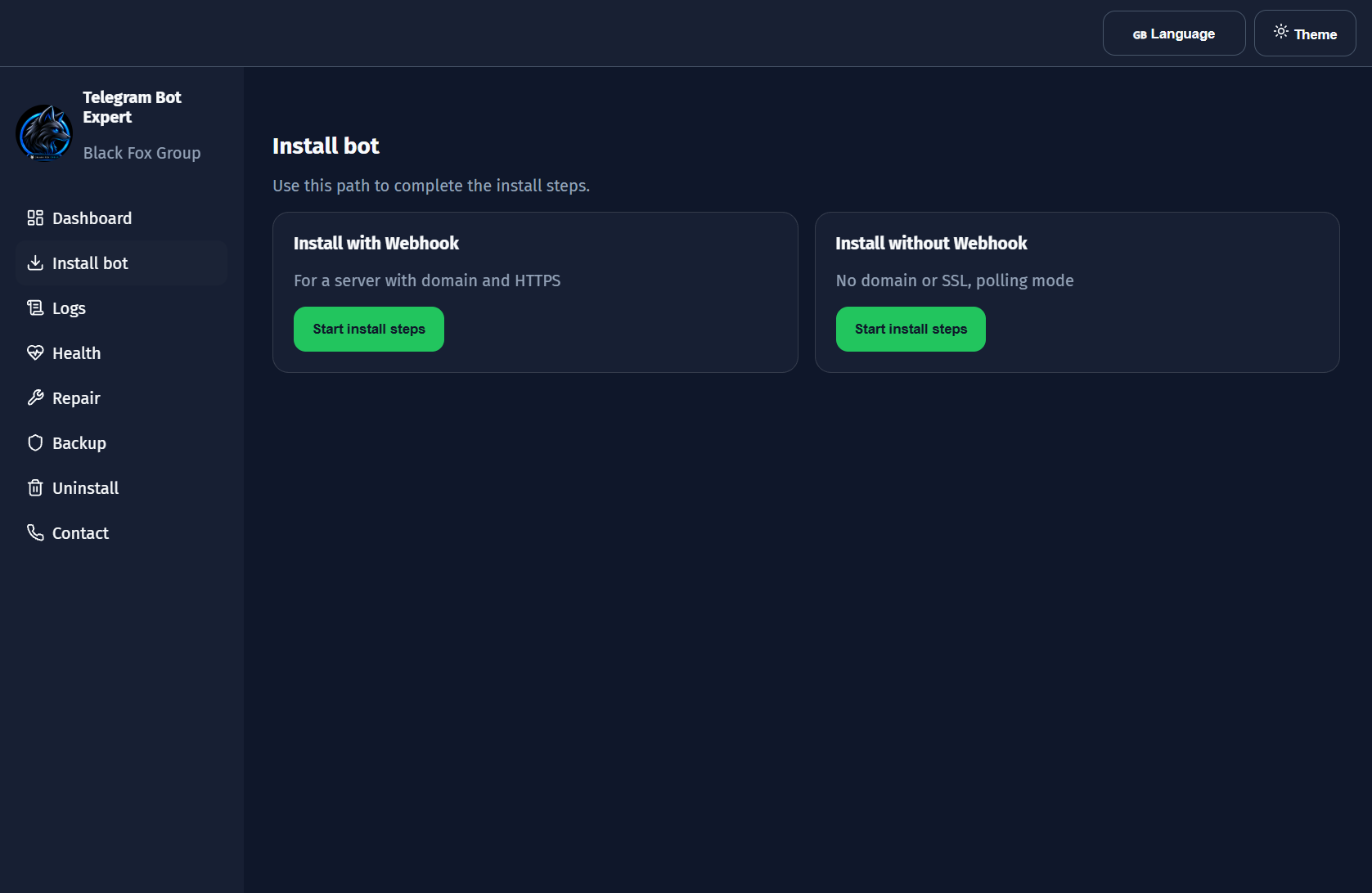
Telegram Bot Expert Installer opens locally at http://127.0.0.1:4780/ and guides you through a 6-step wizard that auto-detects your Linux VPS (Ubuntu, Debian, AlmaLinux, or Rocky Linux) and prepares project dependencies (Python, Node.js, Go, PHP, or Docker).
1. Polling Mode (No Domain or SSL Needed)
- Fastest path for private bots or servers without a domain.
- Requires zero SSL certificate or Nginx configuration.
- Creates a managed
systemdservice with auto-start on boot.
2. Webhook Mode (Domain + HTTPS + Nginx)
- Configures domain routing, SSL email setup, Nginx proxy, and internal listen port.
- Built for low-latency production bot workloads.
- Runs domain & port pre-checks and shows config preview before deployment.
Unified Expert Capabilities
Complete Installation, Monitoring & Recovery Features
- Auto-Detected VPS & Stack Readiness: Inspects open ports, CPU, RAM, disk, and prepares Python, Node.js, Go, PHP, or Docker dependencies automatically.
- Full
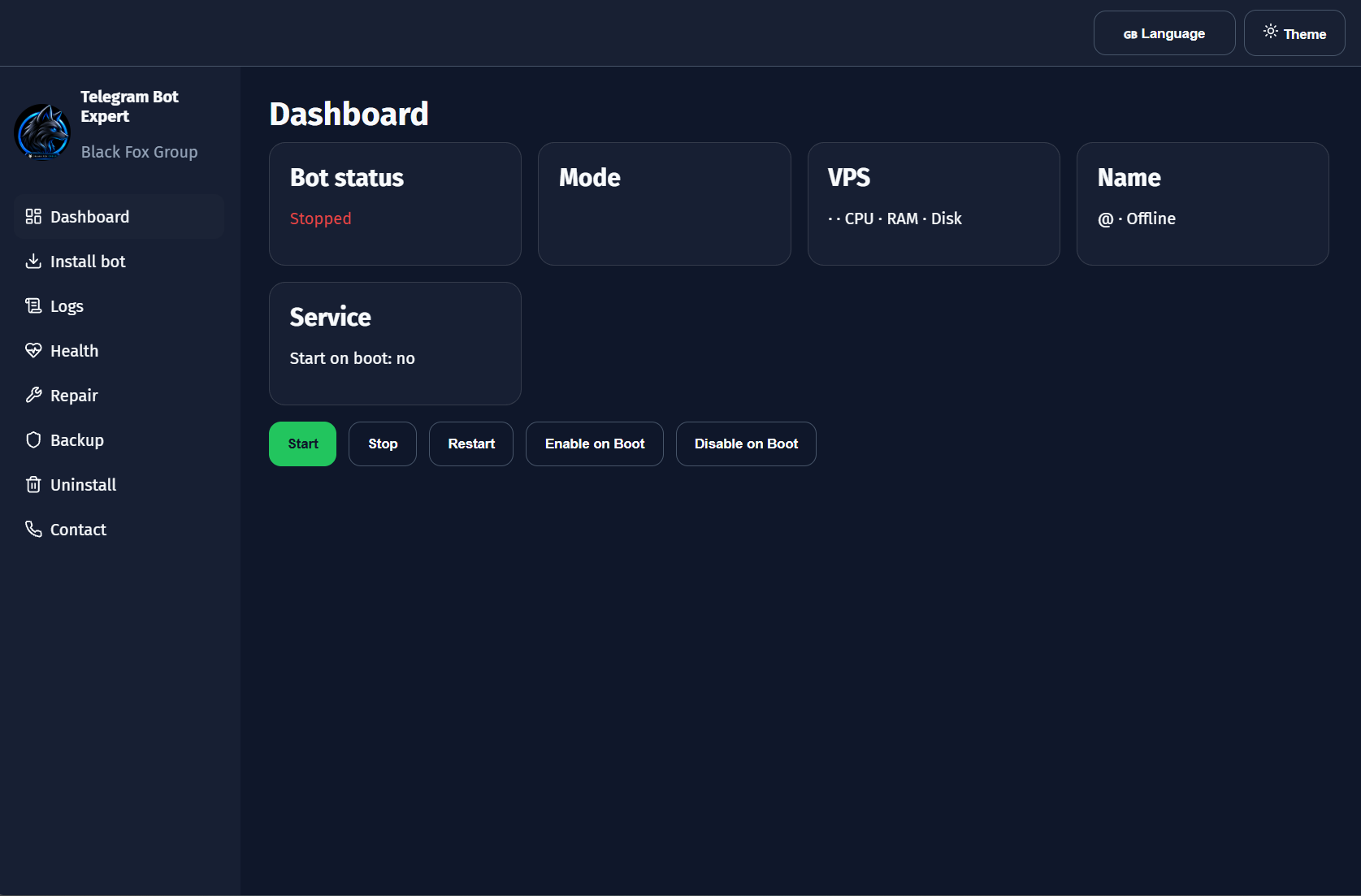
systemdLifecycle Control: ExecuteStart,Stop,Restart,Enable on Boot, andDisable on Bootfrom one dashboard. - Live Logs, Health & Auto-Repair: Stream remote service logs, download
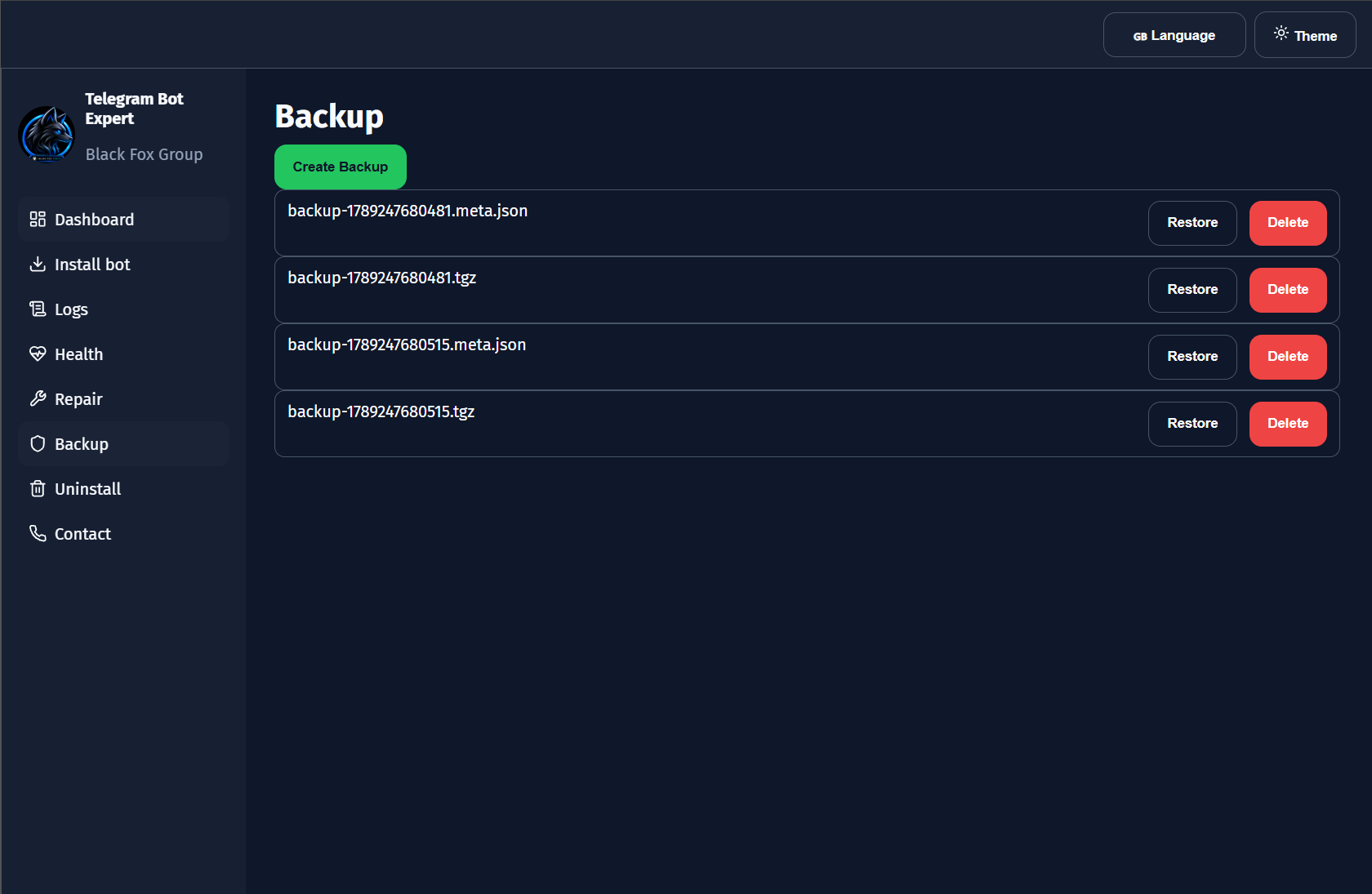
bot.log, run health checks, and click Auto-Fix on repairable issues. - Snapshot Backup & Restore: Create
.tgzarchives alongside.meta.jsondescriptors, restore safely after confirmation, or remove old archives. - 3-Tier Controlled Uninstall: Choose
Remove app(keeps data),Remove app and data, orRemove everythingincluding systemd and Nginx rules. - 4 UI Languages & Theme Toggle: Switch between English, Persian, Russian, and Chinese plus Dark/Light themes anytime.
Deployment Flow
From Download to Live Bot in 6 Steps
- Install via PowerShell one-liner or extract the ZIP archive and launch
Start-Expert.bat. - Open
Install botand selectWebhookorPolling. - Connect over SSH (password or private key) to auto-detect VPS OS, hardware, and open ports.
- Enter your
@BotFathertoken, admin/support IDs, language, timezone, and install directory (/opt/telegram-bot). - Choose a Git repository/branch or existing VPS directory and run deployment.
- Monitor live VPS metrics, stream logs, verify health, and create backups from Dashboard.
Inside the Browser Expert Interface
Install bots, manage systemd services, inspect logs, and take backups cleanly without writing shell scripts:
Requirements & Windows Setup
- Local PC: Windows 10 or 11 with
Node.js LTSand a modern browser. - One-Command PowerShell Install: Run
irm https://raw.githubusercontent.com/BlackFoxGroup/telegram-bot-expert-installer/main/deploy/install-expert.ps1 | iex(installs into%LOCALAPPDATA%\TelegramBotExpert). - ZIP Package Setup: Extract
telegram-bot-expert-installer.zipand double-clickStart-Expert.batto openhttp://127.0.0.1:4780/. - Target VPS: Ubuntu, Debian, AlmaLinux, or Rocky Linux server with SSH access and a bot token from
@BotFather(Webhook also requires a public domain + HTTPS).
Security & Secret Isolation
- Clean Source Package: Neither GitHub nor the ZIP release contains passwords, bot tokens, SSH keys, or session files.
- Local Encrypted Storage: Sensitive credentials stay encrypted by the Expert on your own Windows machine.
- Protect Local Runtime Files: Never share or commit
data/,.env, ormaster.key.
Want to Walk Through Every Tab & Wizard Step?
Read the complete illustrated tutorial covering Dashboard, the 6-step Install Wizard, Logs, Health & Repair, Backups, Uninstall levels, and troubleshooting.